Wishlists for Shopify
Let shoppers save it. Win them back when it’s time to buy.
Heartlist: Wishlist & Alerts puts a heart on your products and a wishlist page in your theme, then tells shoppers when something they saved is back in stock or drops in price.
Get it on the Shopify App Store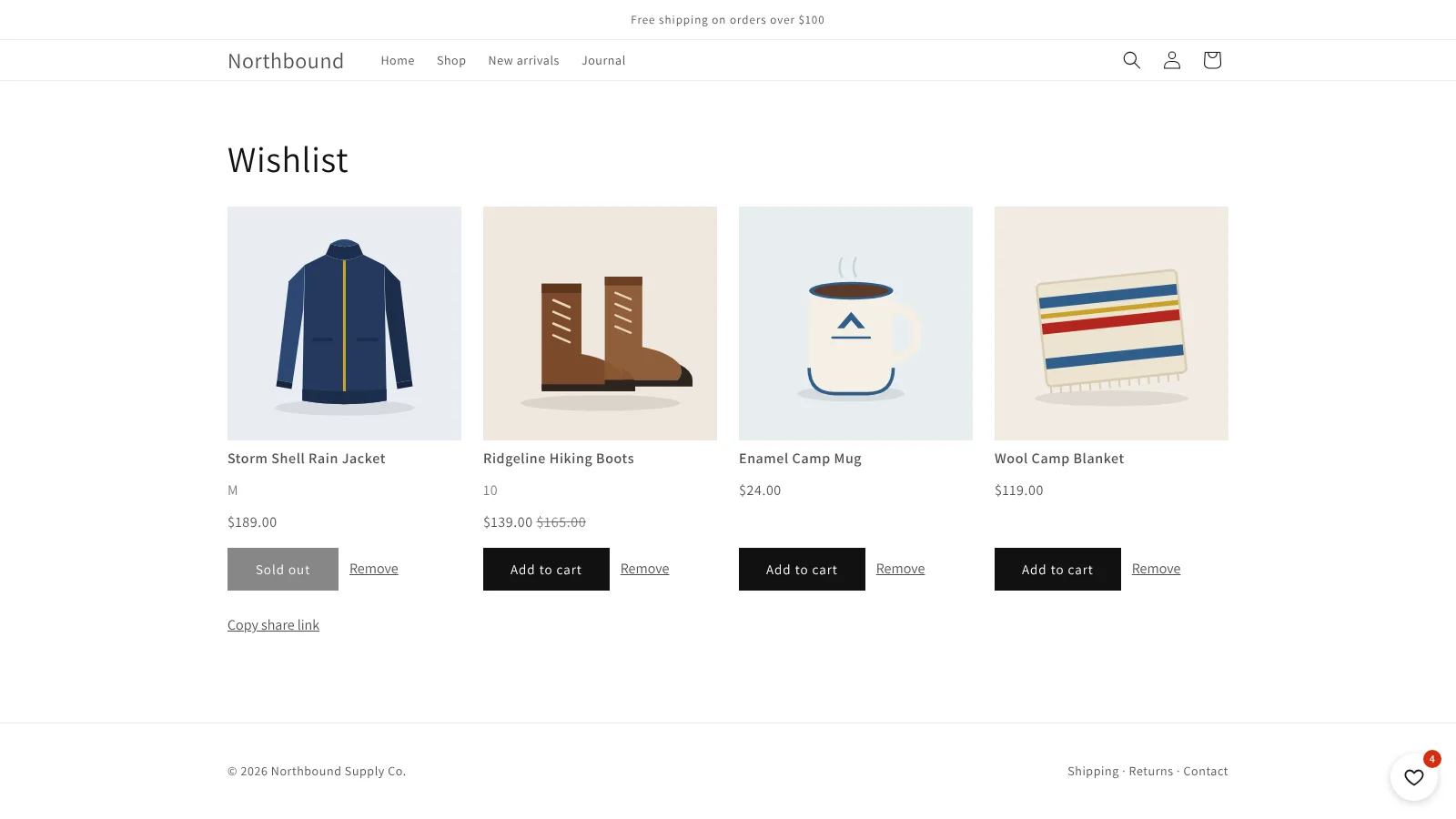
- 0 outside scripts on your storefront
- 2 Flow triggers: back in stock, price drop
- 7 storefront languages
- 2 minimal access scopes
Everything a wishlist needs, nothing it doesn’t
Hearts everywhere
A button on product pages and a heart on every product card. Shopify's free themes work straight away; for others, paste one CSS selector.
Guests can save too
No account needed. A guest's list moves into their account when they log in, and follows them to every device.
Share and shop
Shoppers copy a read-only link to their list and add items to the cart straight from it.
Variant-aware
Save the exact size or colour. Back-in-stock alerts fire for that variant, not just the product.
Seven languages
English, French, German, Spanish, Italian, Dutch and Portuguese (Brazil), following the shopper. Every label is editable in the theme editor.
See what's wanted
Your dashboard shows activity and the most wished-for products, so you know what to restock or promote.
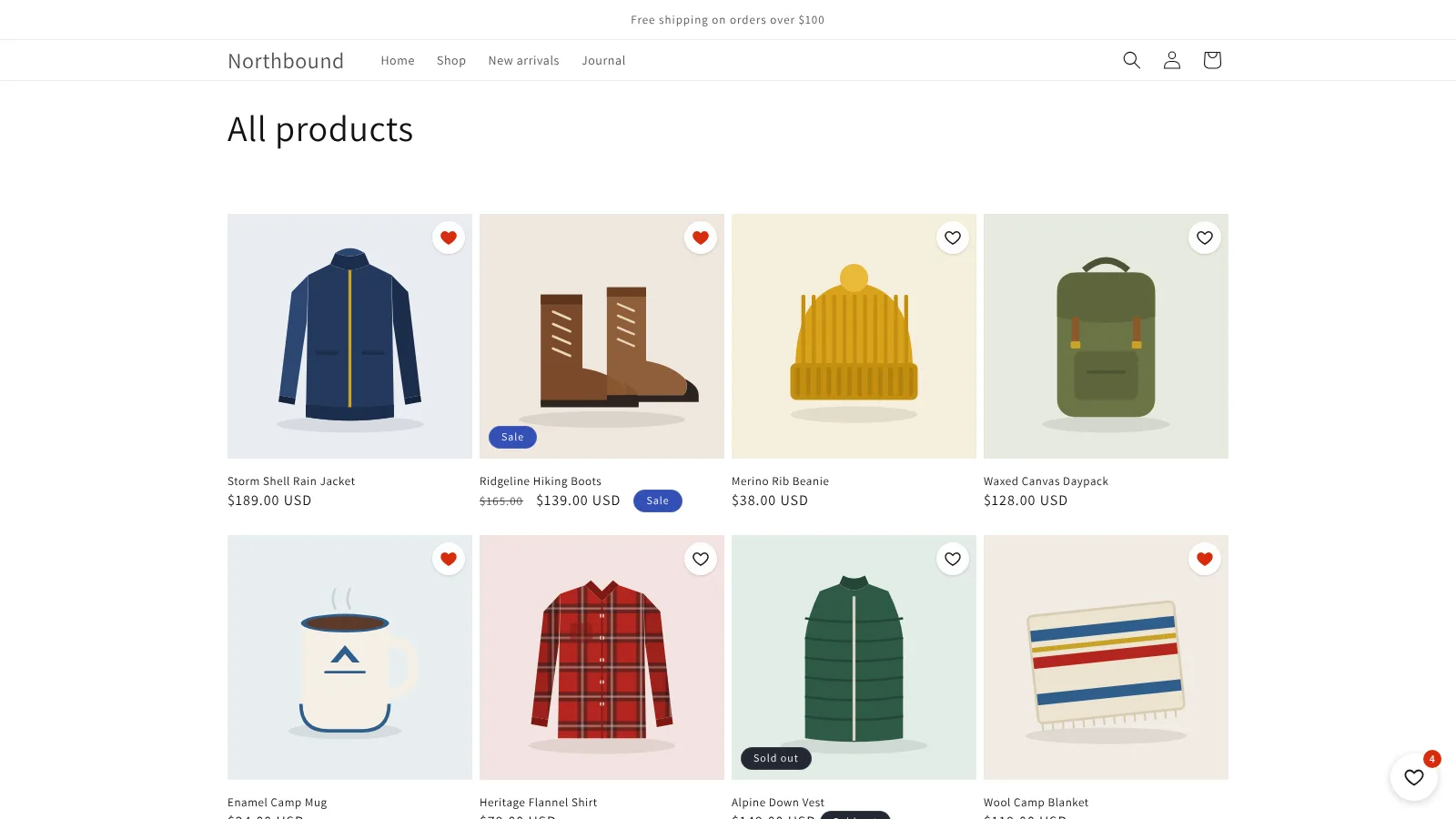
Hearts that fit your theme
Saving takes one tap on a product page or a collection page. The wishlist page is rendered inside your theme, so it looks like the rest of your store.
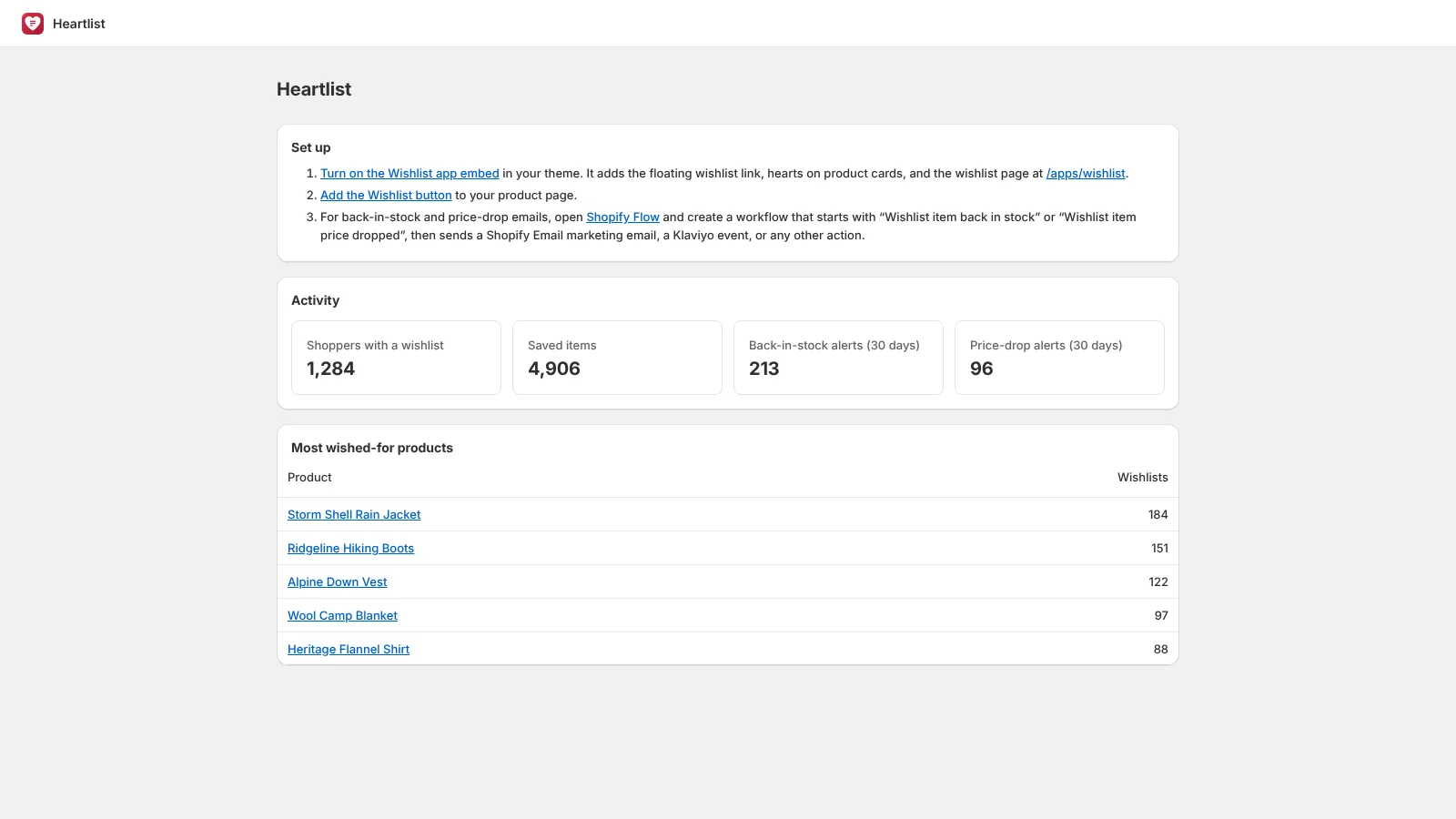
Alerts through the tools you already use
Heartlist: Wishlist & Alerts publishes two Shopify Flow triggers. Each includes the customer and the product, so you decide what happens next: a Shopify Email, a Klaviyo event, a staff notification, a customer tag.
Price-drop alerts fire when the price falls by at least your threshold, 5% by default. Several small cuts add up.
Set up in three steps
Install and turn on the embed
One click in the theme editor adds the floating link and the wishlist page.
Add the button
Place the Wishlist button block on your product page. No theme code to edit.
Build an alert in Flow
Start from “Wishlist item back in stock” or “Wishlist item price dropped” and send it with the tool you already use.
Built so nothing runs outside Shopify
Storefront apps that load code from their own servers have been used to hijack checkouts. Heartlist: Wishlist & Alerts can’t be used that way.
- No remote code. Everything in the shopper’s browser ships in a theme app extension that Shopify reviews and serves from its own CDN.
- Nothing touches checkout.
- Every request is signed by Shopify. The customer is identified by Shopify, never by what the browser claims.
- Minimal access and data. Read-only product and inventory scopes, and no customer names, emails or addresses stored.
Questions
Do shoppers need an account?
No. Guests' lists are saved in their browser and move to their account when they log in. Alerts need an account, since that's how we know who to tell.
How are alerts sent?
Through Shopify Flow, so you can use Shopify Email, Klaviyo or any other Flow action. Shopify only sends marketing email to customers who agreed to receive it.
Which themes work?
The app embed and wishlist page work with any theme. The product page button needs an Online Store 2.0 theme, which is every theme released since 2021.
What do you store about my customers?
A numeric customer ID, the products they saved, and a log of alerts sent. No names, emails, phone numbers or addresses.
What happens if I uninstall?
The button and embed disappear from your theme automatically. No code is left behind.
Give shoppers a reason to come back
Install Heartlist: Wishlist & Alerts from the Shopify App Store and have hearts live in minutes.